
How do I make a user an organisation admin?
Learn how to promote a user to organisation admin, including prerequisites and what happens after admin rights are granted.
Making someone an organization admin lets them oversee settings and manage users at the highest level. Follow these steps to promote a user to the organization admin role.
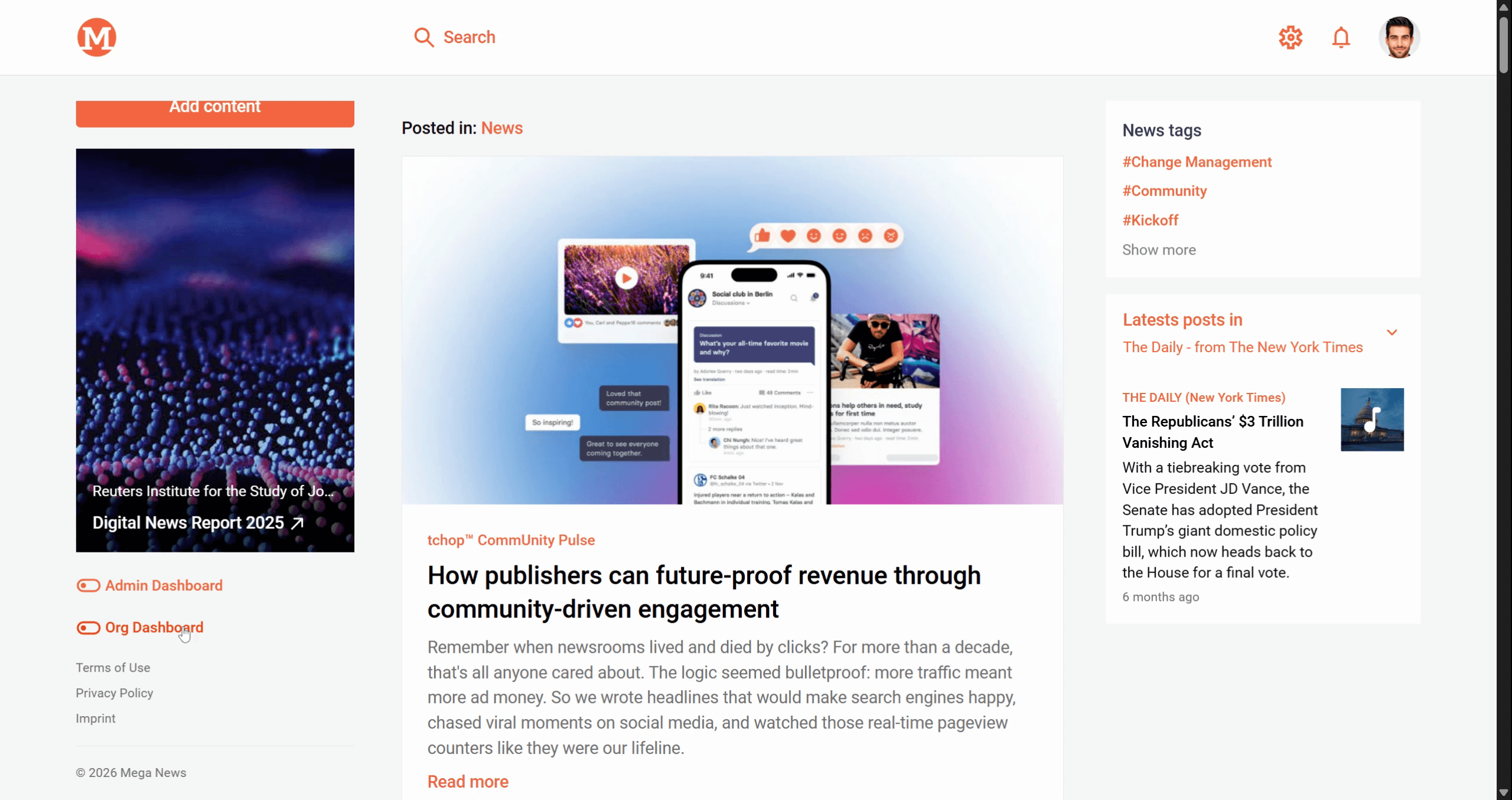
Step 1: Go to your organization dashboard. The dashboard gives an overview of your organization’s settings and members.
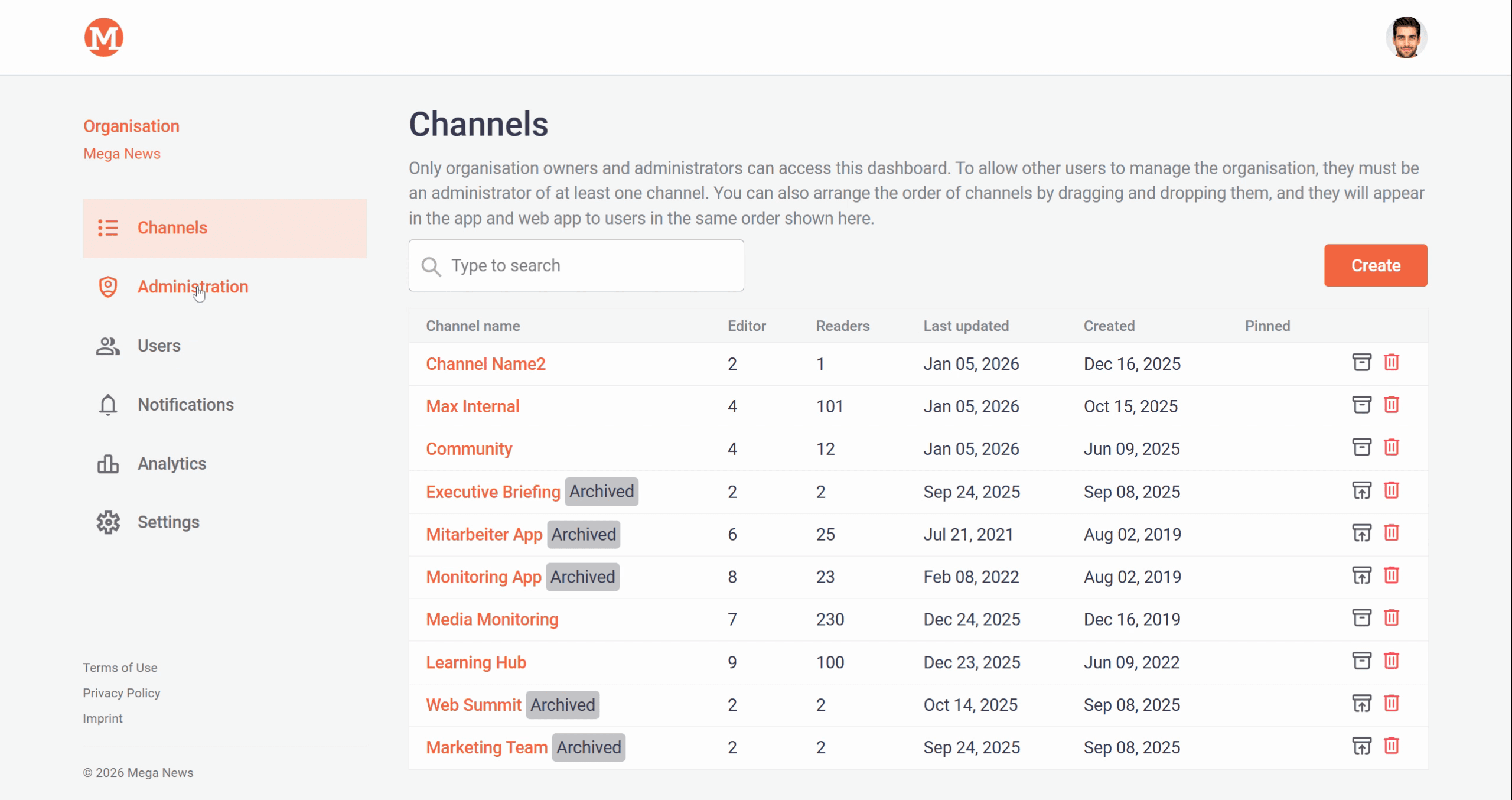
Step 2: Click on Administration in the main menu. This section shows user management options and the current list of admins.
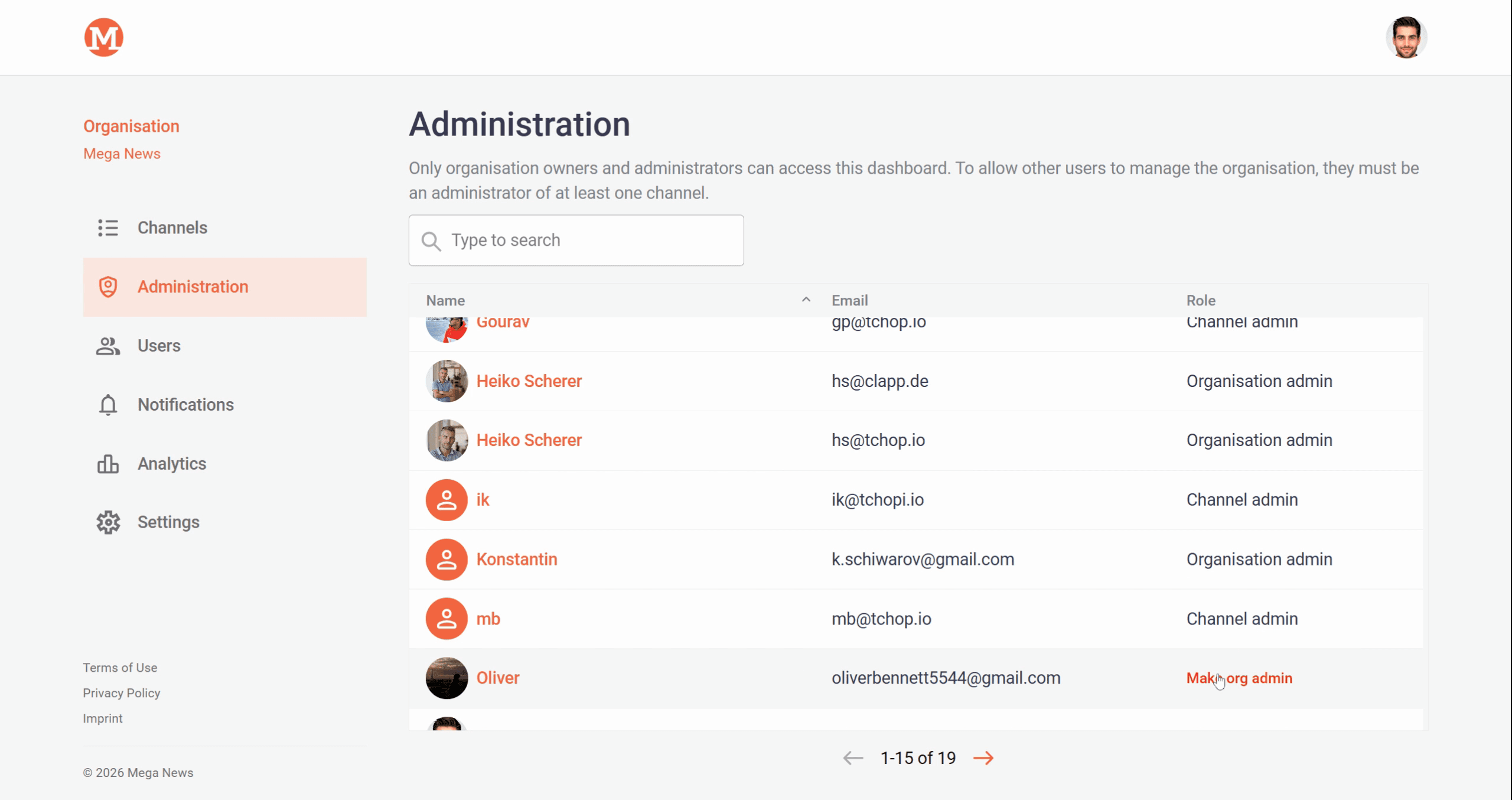
Step 3: Check that the user is already a channel admin for at least one channel. Only users with this status are eligible to become organization admins.
Step 4: Find the eligible user in the list. Next to their name, click Make Organization Admin to promote them.
Once you complete these steps, the selected user receives an email notification about their new organization admin role.
Giving admin rights helps share responsibility for managing your organization but should be done carefully, as admins have broad access.
Related articles