
How to enable or disable comments?
Learn how to enable or disable comments on individual posts or at the mix level to control discussions.
In this article, you will learn how to enable or disable comments under a post.
As an administrator, you have the option to determine whether comments can be written under a post.
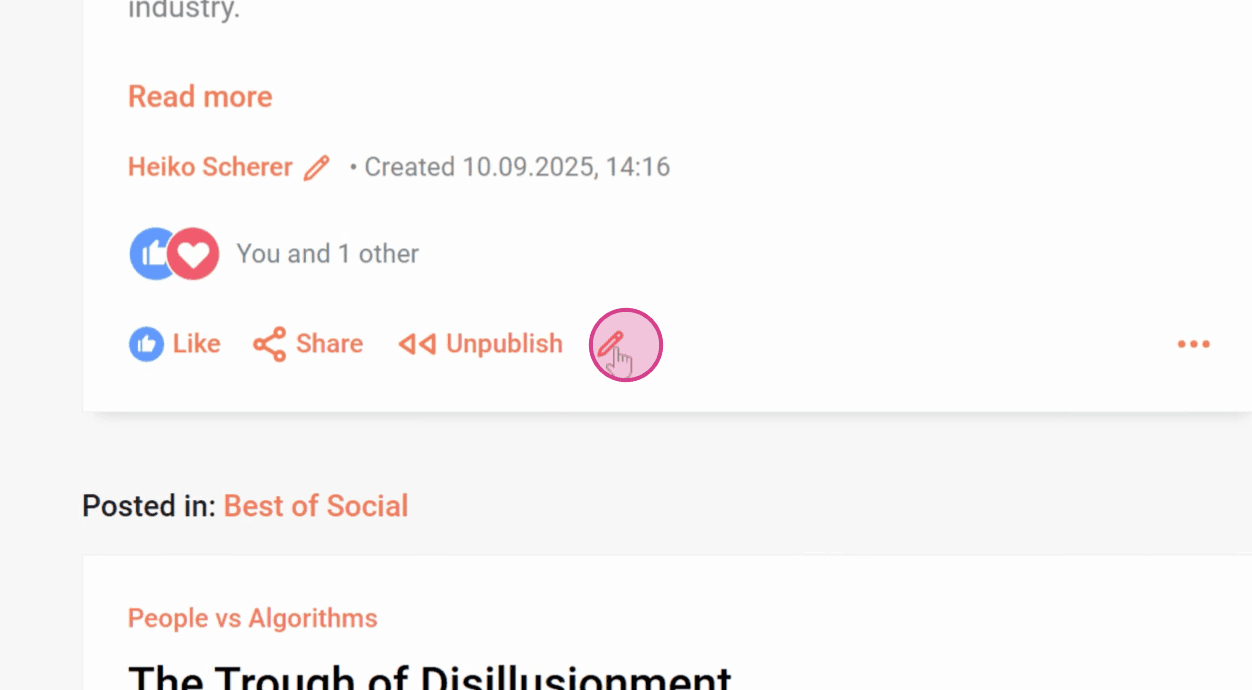
Step 1: Click on the pencil icon of the post you want to edit.
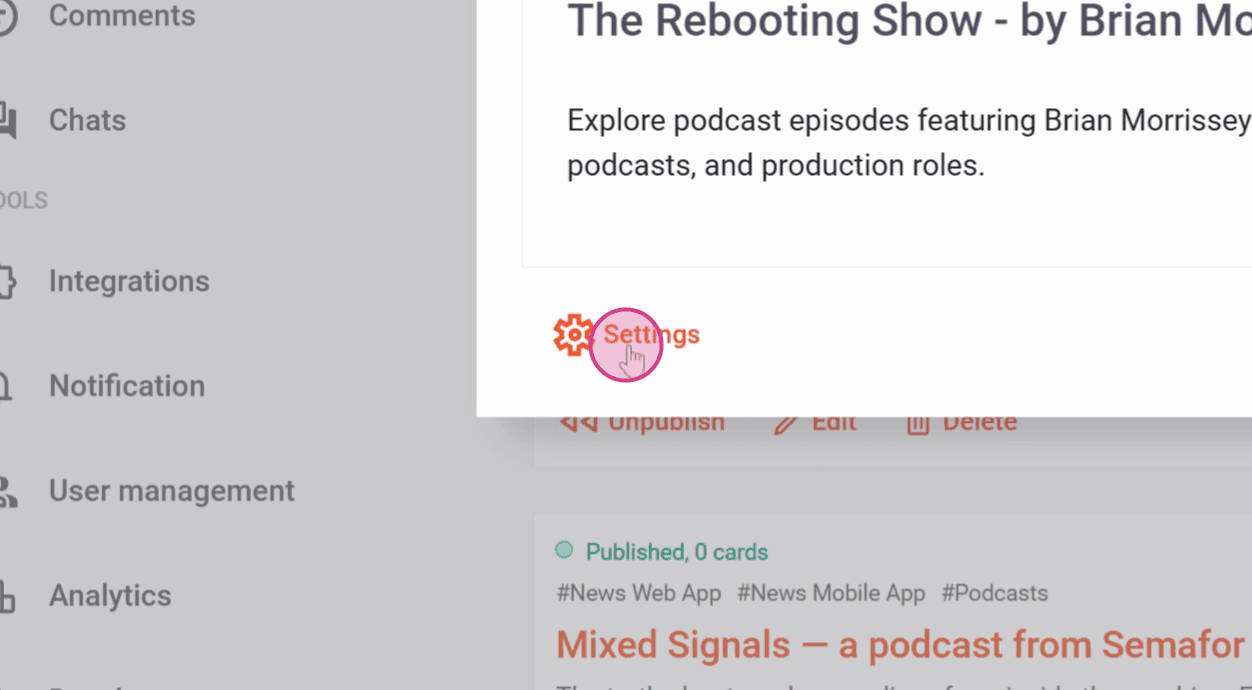
Step 2: Click on Settings.

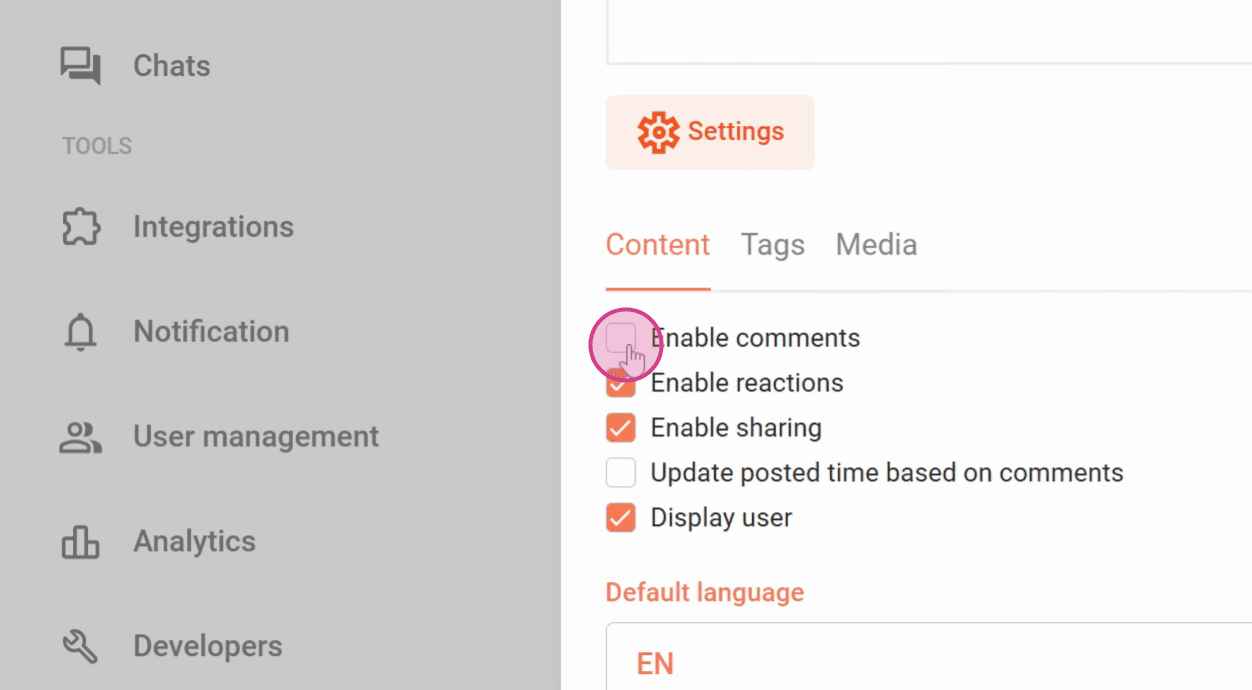
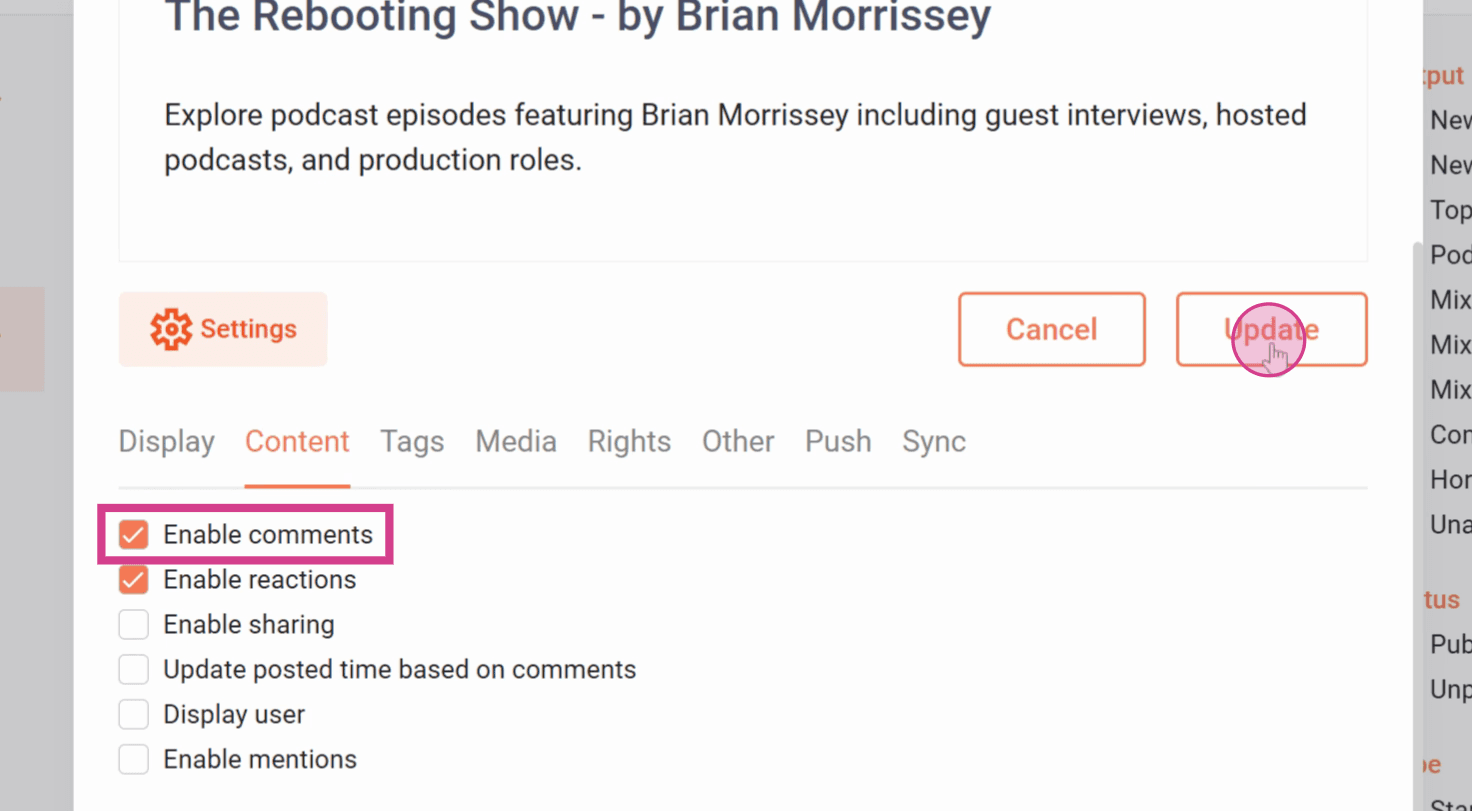
Step 3: Here you can check or uncheck the box next to Enable comments.
Step 4: Then click Save.
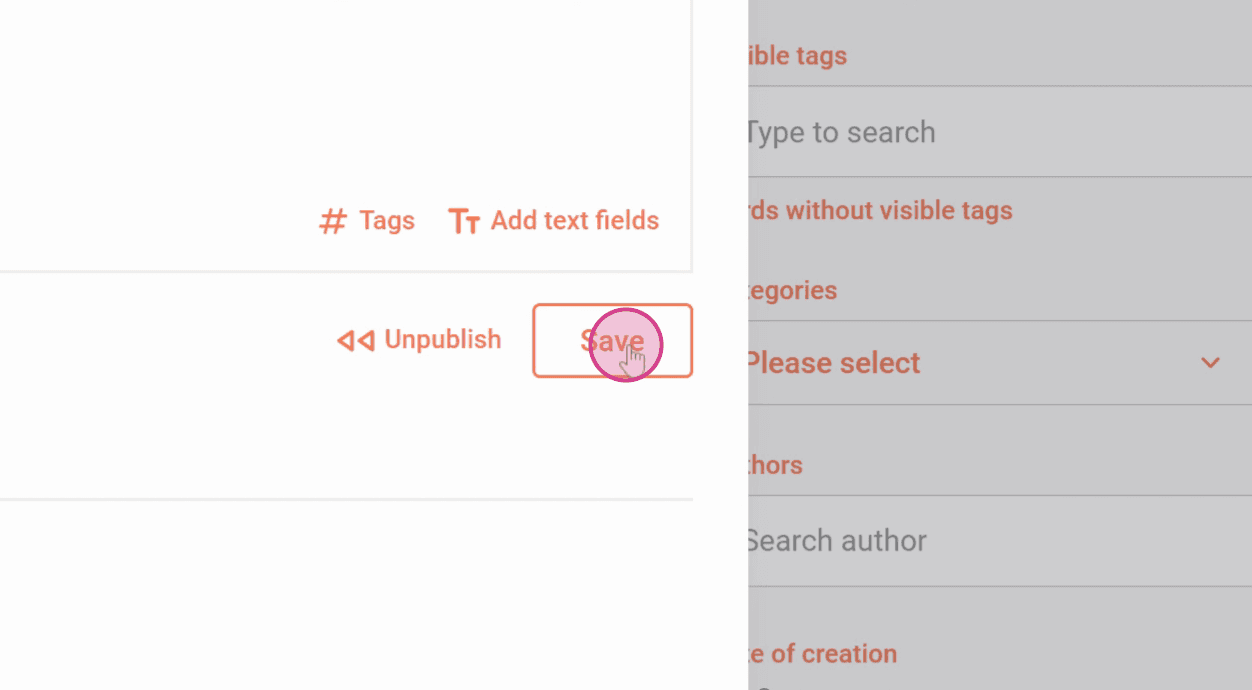
Comments are now enabled under this post. You can also do this at the mix level.
Step 1: Go to Mixes.

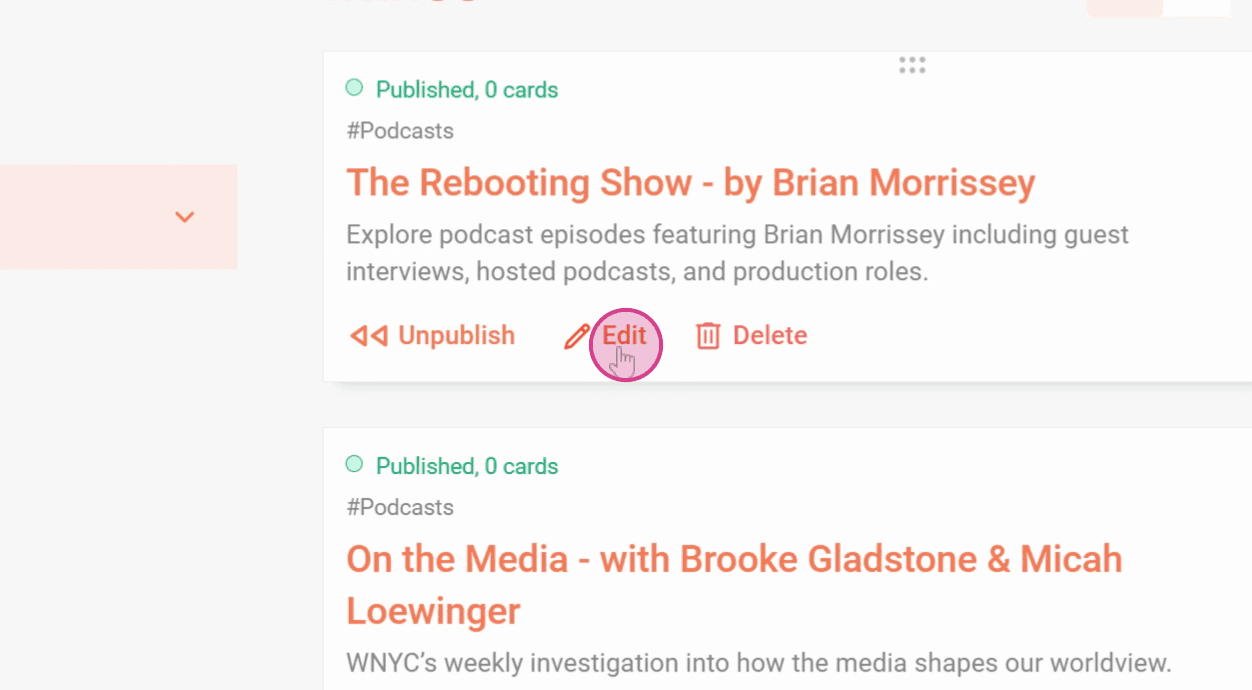
Step 2: Click Edit for the respective mix.
Step 3: Click on Settings and go to the Content tab.
Step 8: Here you can check or uncheck the box next to Enable comments. Then click Update.
Now you know how to enable or disable comments under a post and on Mix level.
Related articles